

APP FOR IPHONE
knipper.
Retro camcorder with cassettes.
Film clip by clip onto a cassette. In the end it all plays as one whole film.
For iPhone · English and German
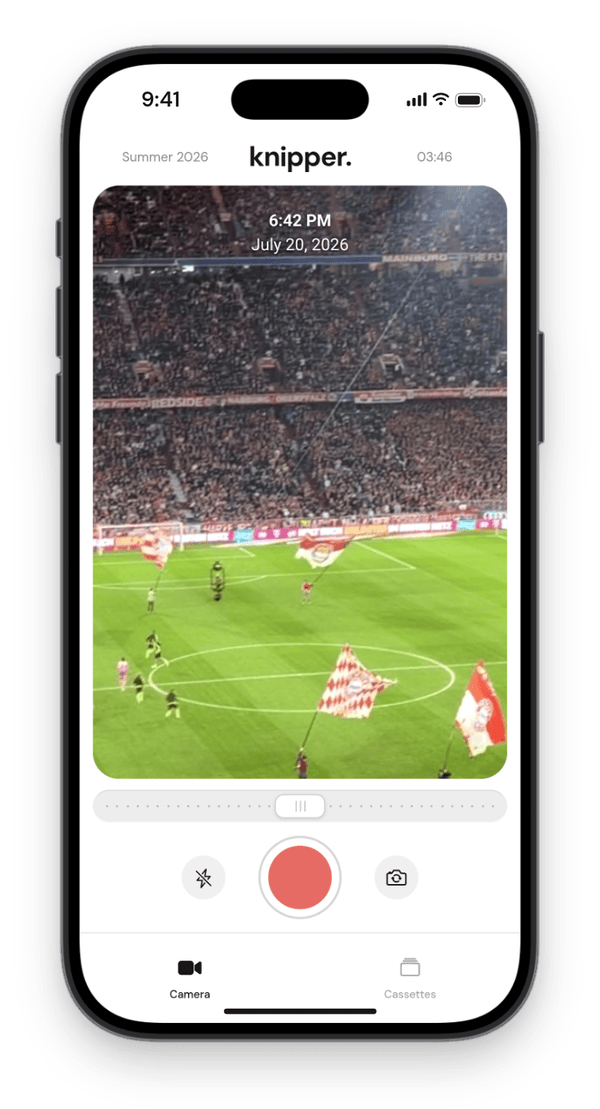
How it works.
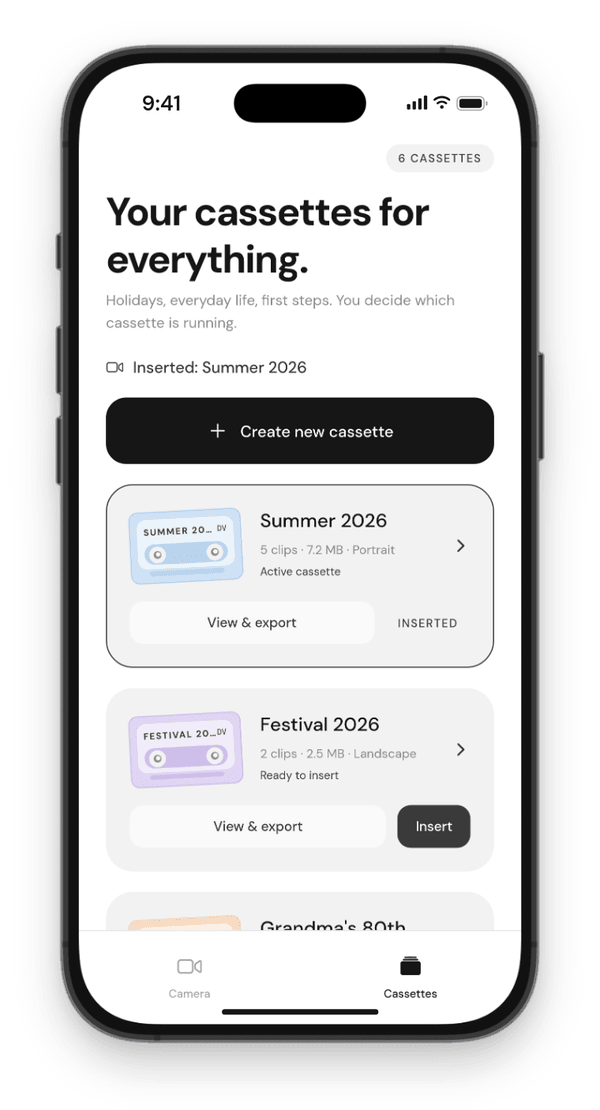
1
Insert a cassette
One cassette per trip, year or project, with its own name, color and format.
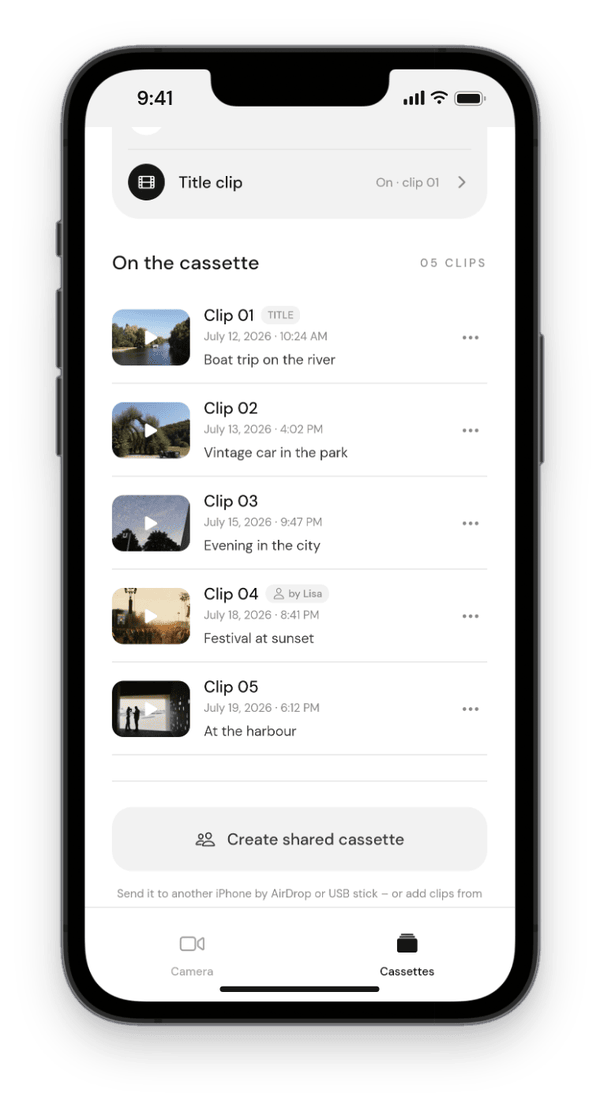
2
Film clip by clip
Every recording goes onto the inserted cassette, with date and time in the picture.
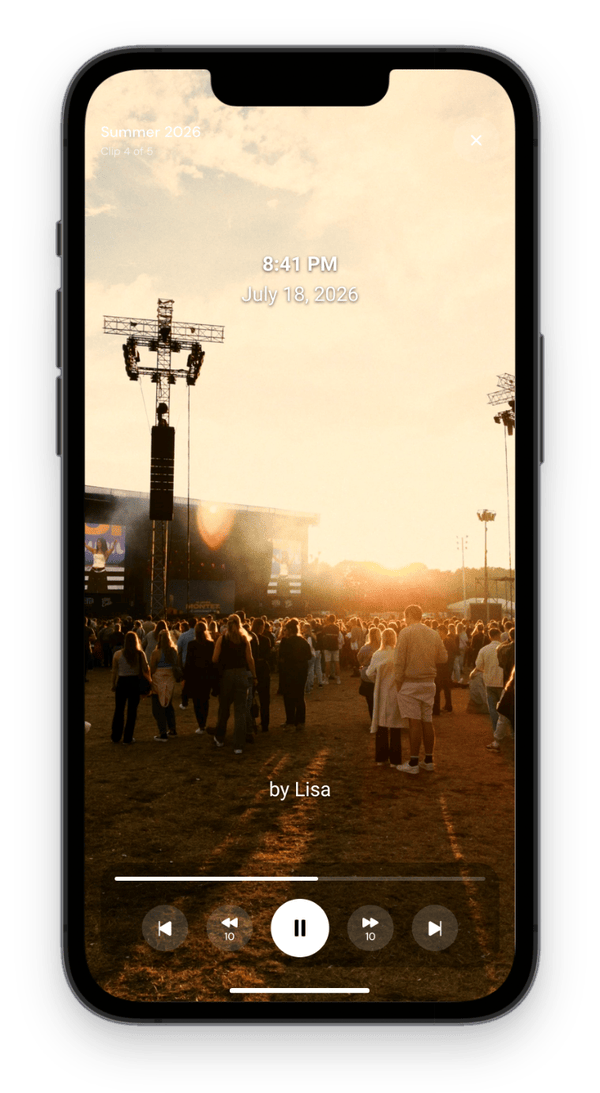
3
Watch it as a film
All clips play back to back in time order. No cutting, no sorting.
FOR SOCIAL MEDIA
Your knip.
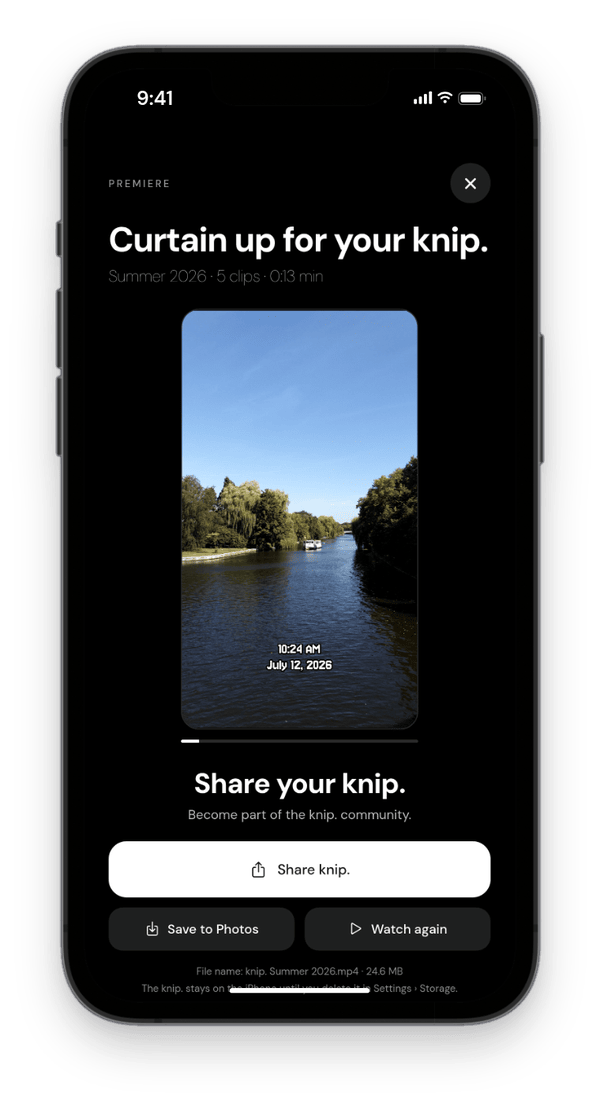
The short trailer of your cassette: two seconds from every clip you pick.
- Pick clips yourself or at random, in time order or shuffled
- Add a title intro with a rewind look if you like
- Premiere first, then share or save it to Photos
Features.
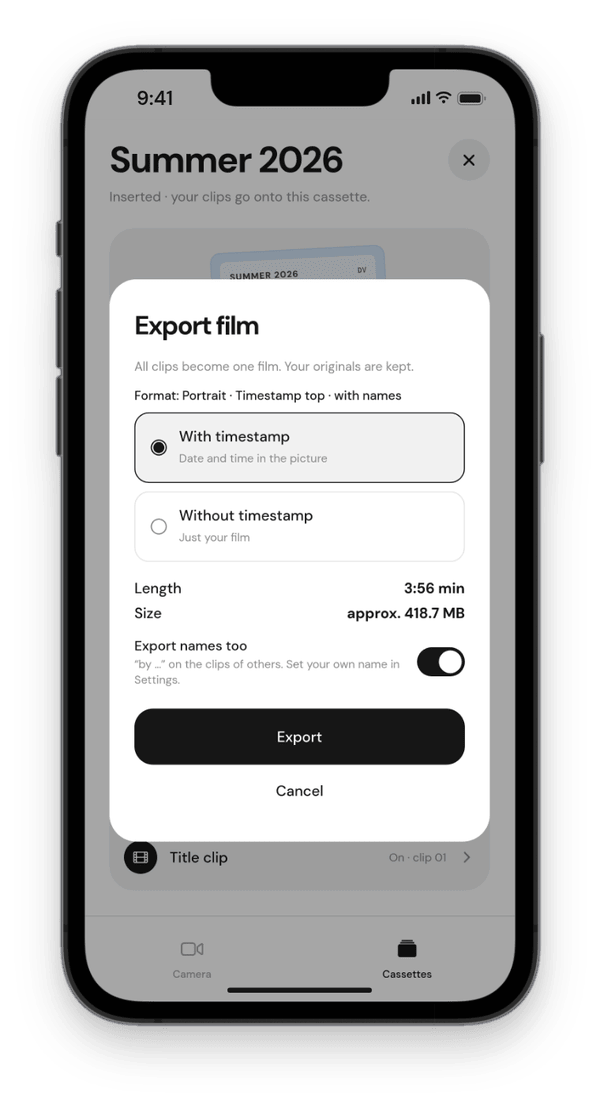
Timestamp
Date and time in the picture, modern or in a camcorder font, in 12- or 24-hour format.
Camera
Zoom rocker, lens switching depending on your iPhone, front and back camera, light and Full HD.
Music
Your own tracks with smooth crossfades. Under clips with sound it keeps playing quietly.
Export
MP4 in 1080p, with or without timestamp, with a title clip if you like. Your originals stay unchanged.
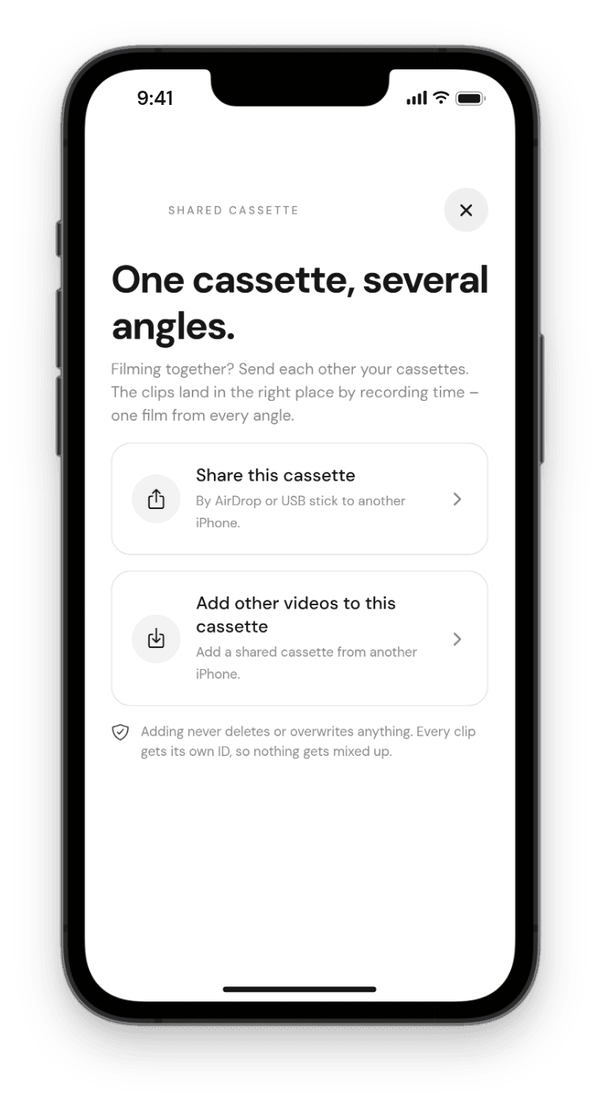
Film together.
Send a cassette by AirDrop or USB stick to another iPhone. The clips are sorted in by recording time: one film from several angles.
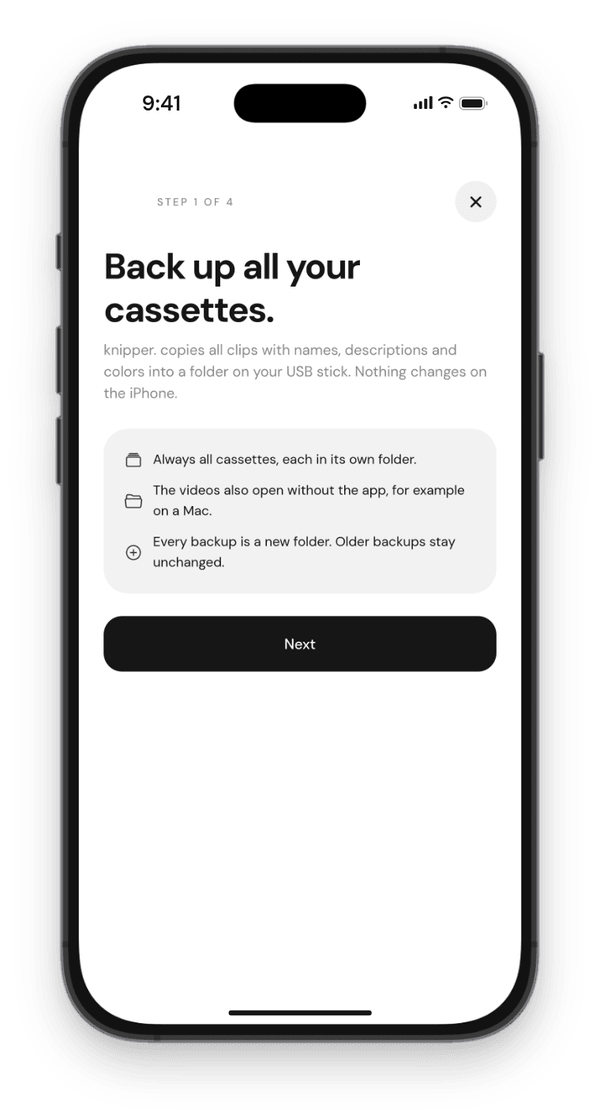
Keep it safe.
Back up all cassettes to a USB stick or an SSD and load them again later, even on a new iPhone. The clips are ordinary MP4 files.
Stays on your iPhone.
No account, no cloud, no tracking, no ads. knipper. needs no internet and works in airplane mode.
Important: cassettes are not in your iCloud backup. If you delete the app, the clips are gone. Back them up to a USB stick first.
Good to know.
What is a cassette?
A cassette collects your clips like a Mini DV cassette in a camcorder used to: you insert it, film clip by clip, and at the end everything plays in recording order as one film – with date and time in the picture.
New recordings always go onto the inserted cassette. There is no time limit; the only limit is the free storage on your iPhone.
How does my cassette become a film?
Open the cassette → “Export cassette” → choose with or without timestamp → “Export”. All clips are put together on the iPhone in recording order into one 1080p MP4 film. Then “Save film”, for example to Photos or Files.
You can keep filming on the same cassette and simply export again later.
What is a knip.?
A knip. is the short trailer of your cassette for sharing. You pick as many clips as you like – yourself or at random – and random 2 seconds of each go in. The clips run in chronological order or shuffled.
Open the cassette → “Create your knip.” below “Export cassette”. Once you have watched it, you can share or save it.
Does knipper. need internet or an account?
No. Recording, storage, playback and export happen entirely on your iPhone, even in airplane mode. There is no server, no account, no ads, no tracking and no analytics.
Your videos only leave the iPhone when you save, share or send them yourself by AirDrop or stick.
Why does the app ask for camera, microphone and Photos?
You need camera and microphone for your recordings. The app only adds to Photos when you save a film or clip there. knipper. does not read your library.
How do I take my cassettes to a new iPhone?
On the old iPhone “Create backup”, install knipper. on the new iPhone and “Load backup” there. An iCloud backup of the old iPhone does not contain your cassettes.
Which language is the app in?
If your iPhone is set to German, knipper. speaks German, otherwise English. The language follows the iPhone setting.
Questions or ideas?
Write to me. I read every message.
knipper. · Support · Privacy · Terms of use · Legal notice · Deutsch
knipper. is an app by Marvin van Beek. © 2026 Marvin van Beek. All rights reserved.
Apple, iPhone, AirDrop and App Store are trademarks of Apple Inc., registered in the U.S. and other countries.